Design System for SaaS Web Products
Created and actively maintained a design system to drive high consistency, best practices, and efficiency across SaaS web products.
Role
Product Designer and Design System Lead
Team
Product Design Team
Timeline
2021–2022
01 — Resources & Guidelines
A robust system starts with two pillars:
Material UI
Provided a comprehensive library of elements, variants, behaviors, and ready-to-use code.
Branding
Adapted Material UI to reflect our company's unique voice through style, font, and color so every product feels truly ours.
02 — System Structure
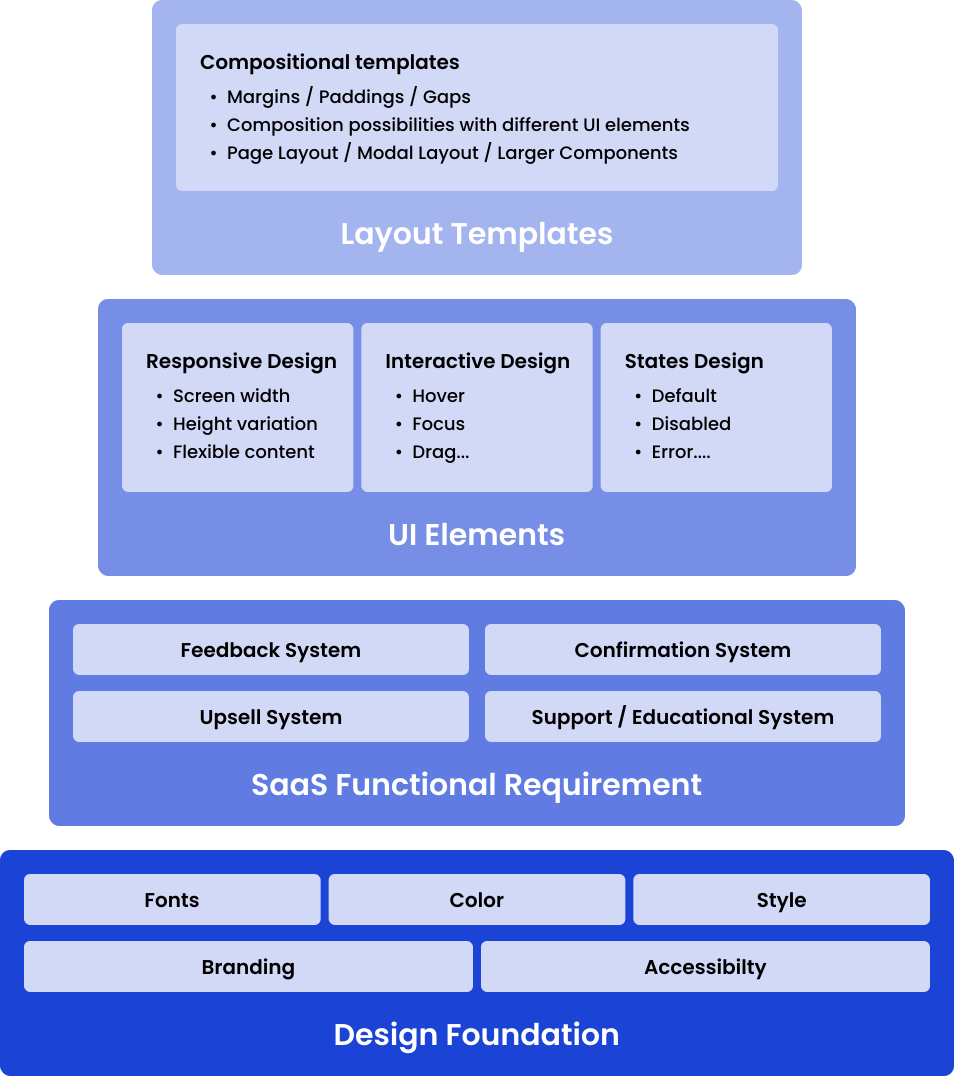
The design system follows a pyramid structure:
- Foundation: Establishes brand identity and ensures accessibility.
- SaaS Functional Requirements: Accommodates complex, multi-layered product needs.
- UI Elements: Responsive, interactive, with variants for every state.
- Layout Templates: Guide how elements combine into components, modals, and pages.
03 — Design Principles
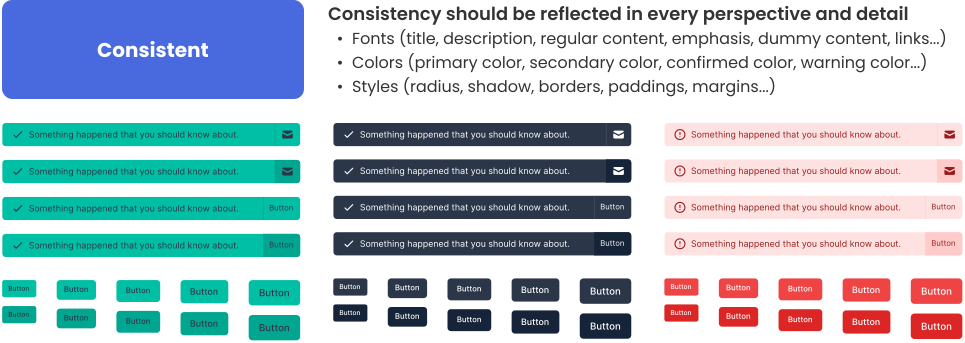
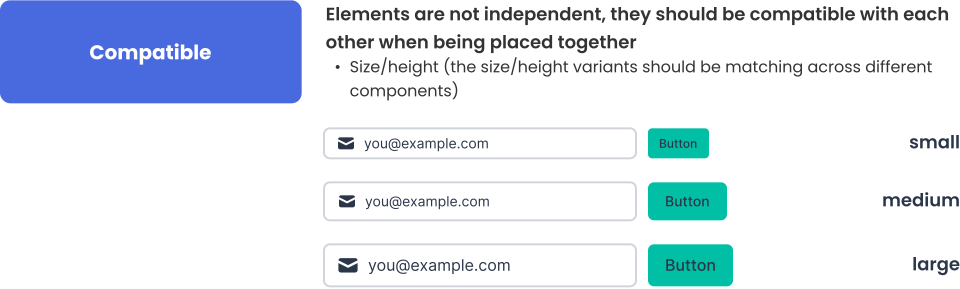
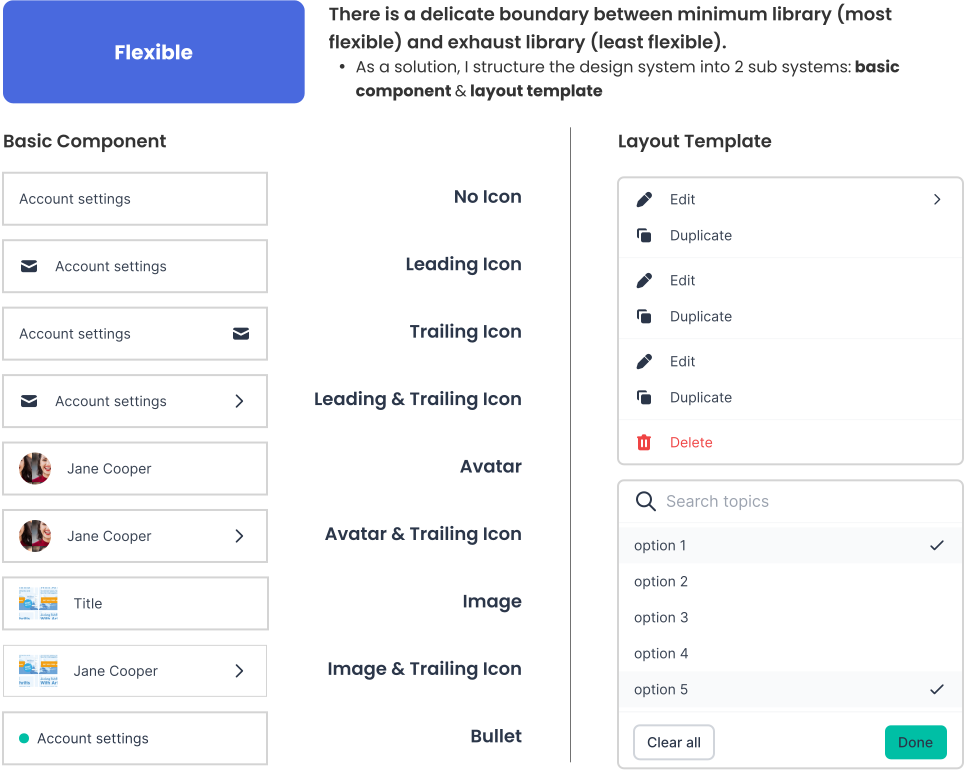
Consistent, compatible, and flexible are the top 3 principles that guided each layer, ensuring every element and template was consistent, usable, and on-brand.
04 — Applying the System
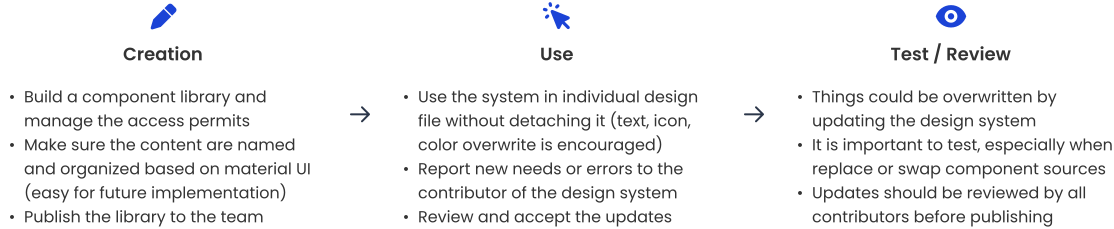
It is important to follow a procedure to apply the design system, otherwise design work might get lost or overwritten. It is also important to collect feedback from designers to improve or fix any compatibility or responsive issues. Most importantly, the design system is a living system which needs to interact with real application cases and evolve constantly to fit the organization's needs.
05 — Implementation & Handoff
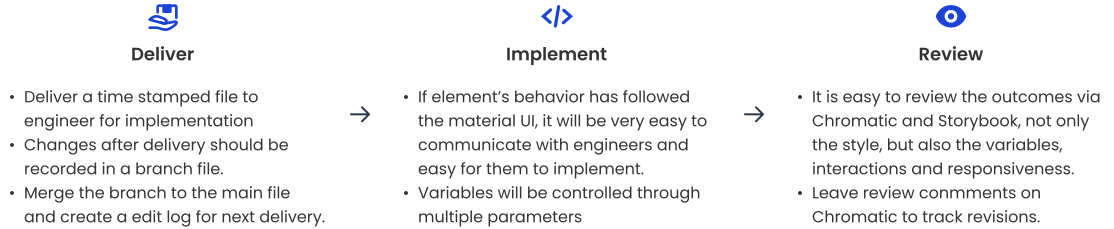
The design system served not just designers, but also engineers, evolving into an SDK for easier implementation.

- Used tools like Chromatic and Storybook for reviewing style and interactions.
- Maintained strict version control to track changes and support smooth handoffs.
06 — Design System in Action
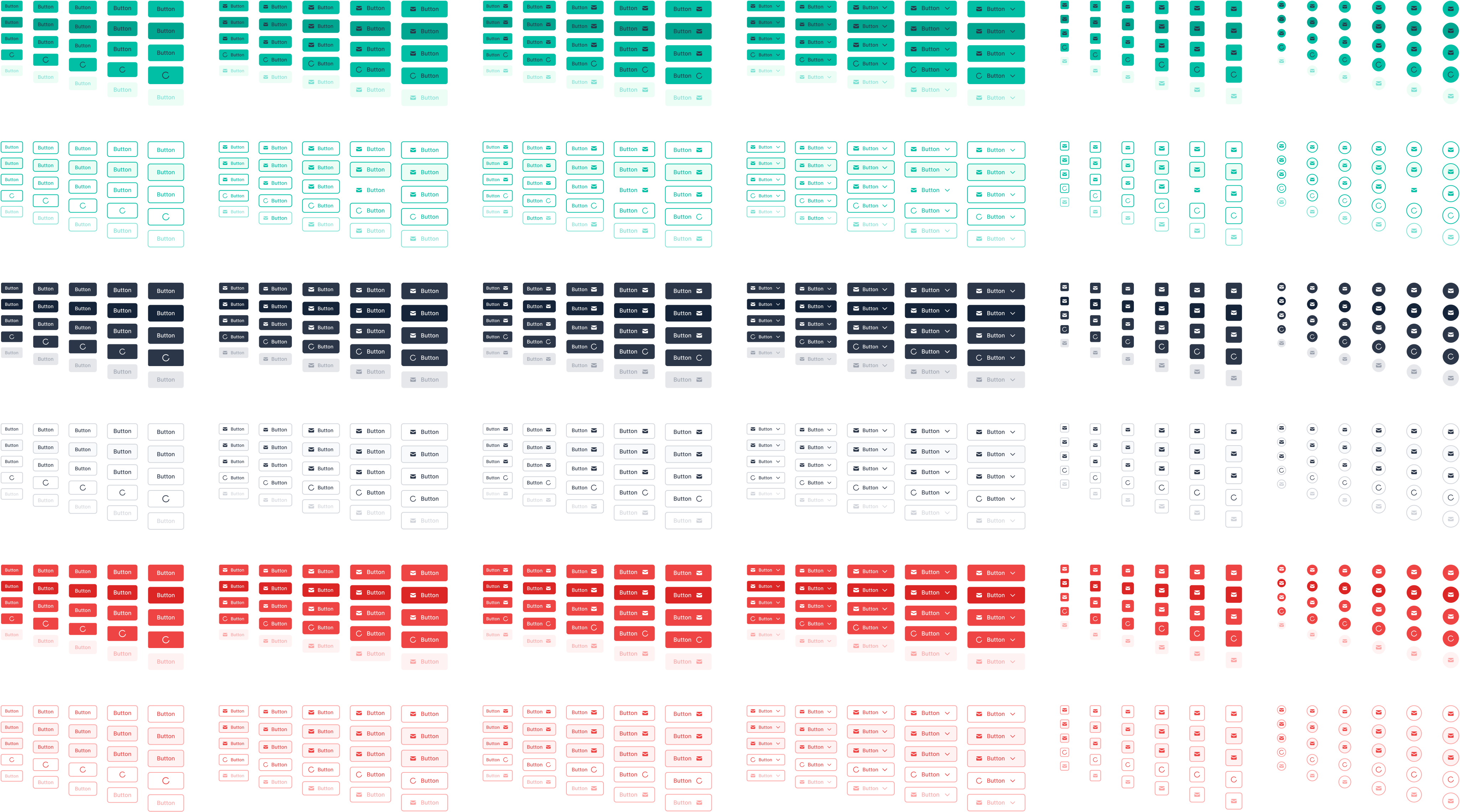
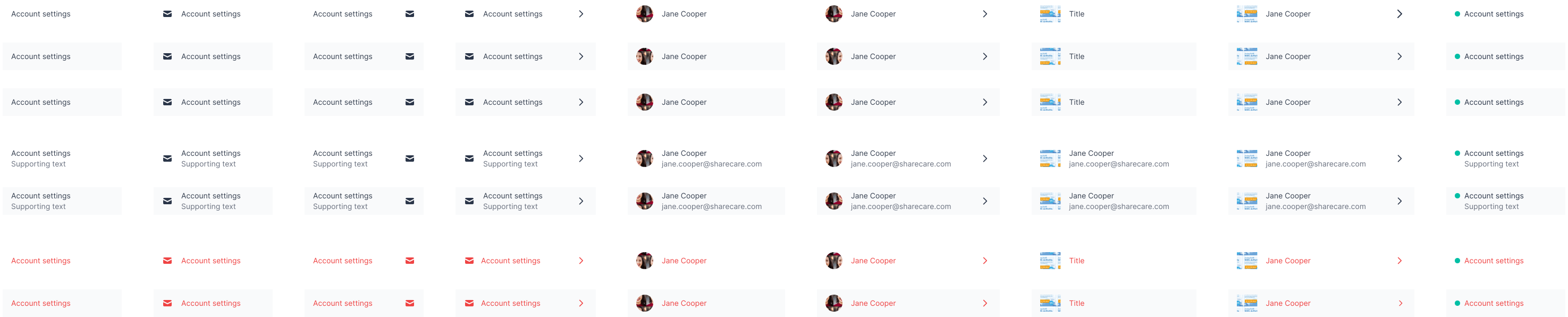
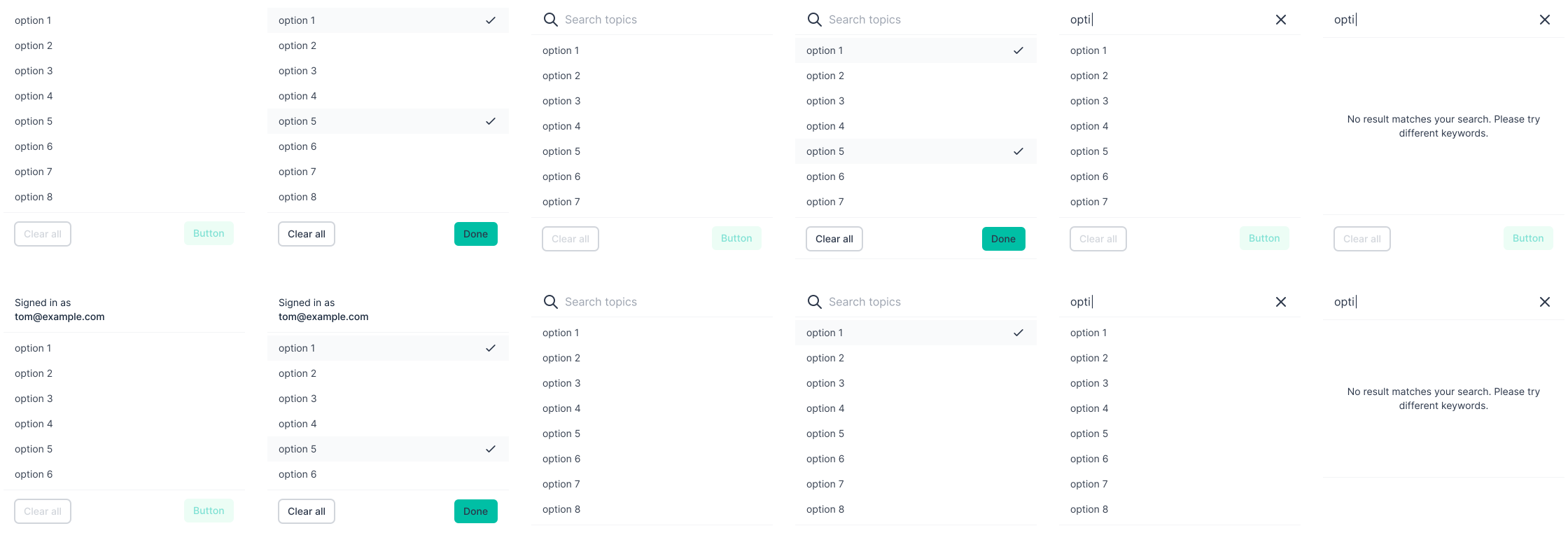
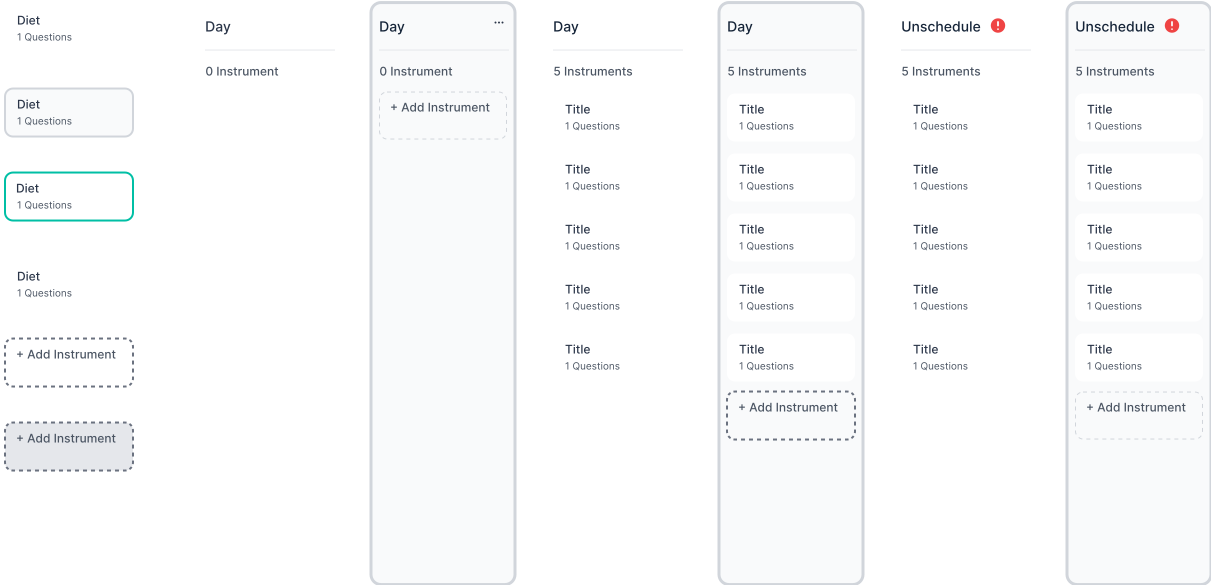
Core elements included: Buttons, Dropdown Lists, Layout Templates, and Kanban Boards, for consistent UI across products.
Reflections
- The Real Work Begins with Adoption: True stability and value emerge only after the system is put to use. Only then do gaps, missing variants, or compatibility issues surface and are resolved based on real feedback.
- Right Workflow = Sustainable Growth: Streamlining edit and review processes is vital. From ad hoc requests to structured Figma branching and scheduled reviews, a dedicated gatekeeper ensures quality and coherence as the system evolves.
- Tailor Best Practices to Your Team: There's no one-size-fits-all approach. Explore different philosophies, adapt your process, and build the system that serves your team's reality best.
- Always Test Before Launch: Even established design systems can surprise you. When in doubt, create test files and check the impact of changes before updating the main products.